

Choosing the best CRM for WooCommerce can be a game-changer for your e-commerce business. At Pluginizer, we understand the importance of managing customer relationships effectively.
A robust CRM system can streamline your operations, boost sales, and enhance customer satisfaction. In this post, we’ll guide you through the process of selecting the ideal CRM solution for your WooCommerce store.
What Features Make a CRM Ideal for WooCommerce?
When selecting a CRM for your WooCommerce store, it’s essential to look for specific features that will enhance your e-commerce operations. Here are the key features that make a CRM ideal for WooCommerce:

Seamless Integration and Data Sync
A top-notch CRM for WooCommerce must offer flawless integration with your store. This includes automatic syncing of customer data, orders, and product information. The best CRMs update in real-time, which ensures you always have the latest customer information at your fingertips.
Advanced Segmentation Capabilities
Effective customer segmentation powers targeted marketing. Your CRM should allow you to segment customers based on various criteria (such as purchase history, browsing behavior, and demographics). This enables you to create personalized marketing campaigns that resonate with specific customer groups.
Robust Analytics and Reporting
Data-driven decision-making drives e-commerce success. A good CRM provides comprehensive analytics and reporting features. Look for systems that offer customizable dashboards, sales forecasting, and performance metrics. These insights will help you identify trends, optimize your sales funnel, and make informed business decisions.
Automated Marketing Workflows
Marketing automation saves time and increases efficiency. Your CRM should offer features like automated email campaigns, abandoned cart recovery, and personalized product recommendations.
Multi-channel Support Integration
In today’s omnichannel world, your CRM must support multiple communication channels. The best systems integrate with email, social media, live chat, and phone support. This ensures a unified view of customer interactions across all touchpoints, which leads to better customer service and increased satisfaction.
As we move forward, it’s important to consider how these features translate into real-world benefits for your WooCommerce store. Let’s explore some of the top CRM options that incorporate these essential features and how they can elevate your e-commerce business.
Top CRM Solutions for WooCommerce Stores
Now that we’ve outlined the key features to look for in a CRM for WooCommerce, let’s examine some of the top solutions available in the market:
HubSpot CRM: The All-in-One Powerhouse
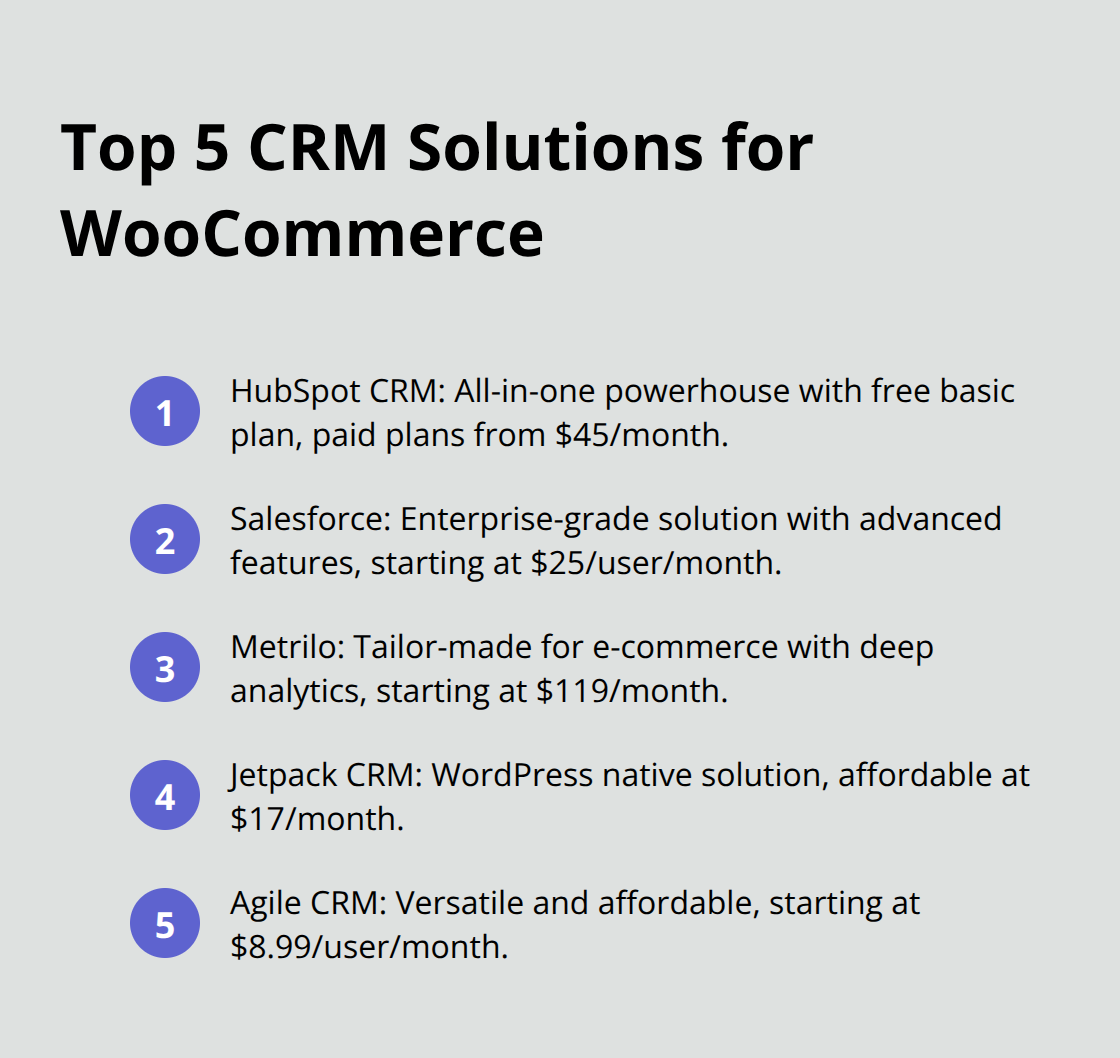
HubSpot CRM offers a comprehensive feature set with a user-friendly interface. Its free plan includes basic CRM functionalities, which makes it an excellent starting point for small businesses. The paid plans (starting at $45 per month) unlock advanced features like marketing automation and sales analytics.
HubSpot’s robust integration with WooCommerce automatically syncs customer data, order information, and product details. This provides a 360-degree view of your customers. The platform’s features include comprehensive customer profiles, powerful list segmentation, and tracking capabilities.
Salesforce: Enterprise-Grade Solution
Salesforce provides unparalleled scalability and customization options for larger WooCommerce stores or those anticipating rapid growth. While it has a steeper learning curve and higher price point (starting at $25 per user per month), its advanced features justify the investment for many businesses.
Salesforce’s AI-powered analytics, Einstein, can be used to create product or order recommendations. This feature allows businesses to explore use cases, benefits, and step-by-step instructions for implementing AI-driven recommendations.
Metrilo: Tailor-Made for E-commerce
Metrilo caters specifically to e-commerce businesses, which makes it a natural fit for WooCommerce stores. Its strength lies in its deep analytics capabilities, offering insights into customer lifetime value, retention rates, and product performance.
Starting at $119 per month, Metrilo isn’t the cheapest option. However, its focused feature set can provide significant ROI.
Jetpack CRM: WordPress Native Solution
Jetpack CRM (formerly known as Zero BS CRM) integrates seamlessly with WordPress and WooCommerce. It offers a straightforward, no-frills approach to customer relationship management. With plans starting at $17 per month, it’s an affordable option for small to medium-sized businesses.
The plugin provides essential CRM features like contact management, invoicing, and basic reporting. Its tight integration with WordPress makes it easy to use for those already familiar with the platform.
Agile CRM: Versatile and Affordable
Agile CRM strikes a balance between functionality and affordability. With plans starting at $8.99 per user per month, it offers features like contact management, deal tracking, and marketing automation. Its gamification elements can help motivate sales teams and improve productivity.
The platform’s integration with WooCommerce allows for automatic syncing of customer data and order information. Users appreciate its intuitive interface and the ability to customize workflows to match their business processes.
These CRM solutions each have their strengths and cater to different business needs. The next section will guide you through the factors to consider when choosing the right CRM for your WooCommerce store.
How to Evaluate CRM Options for Your WooCommerce Store
Cost vs. Value
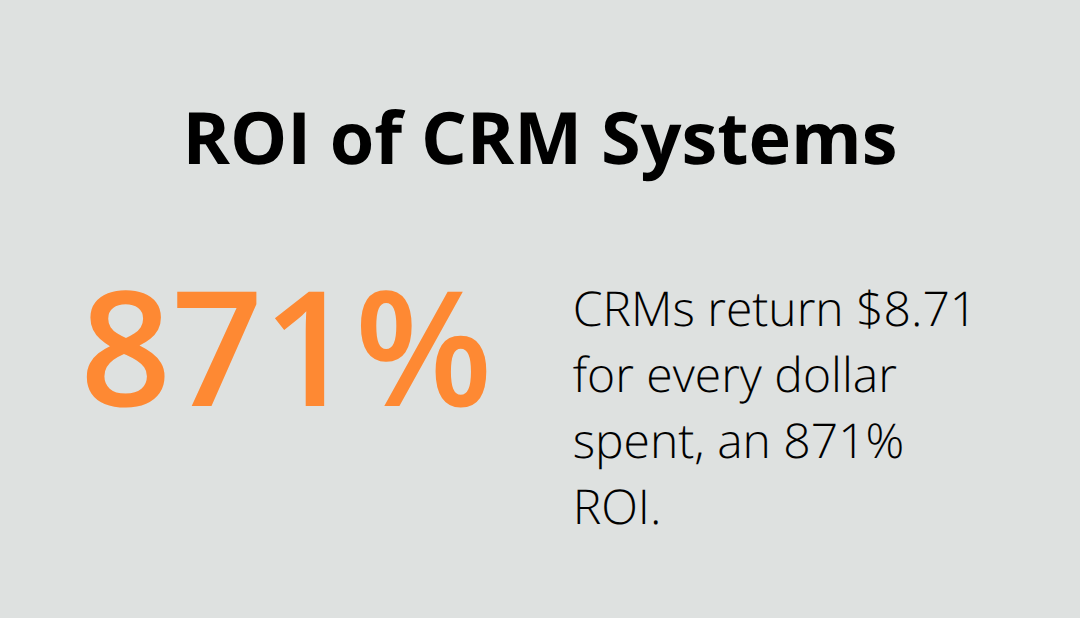
When you assess CRM options, look beyond the price tag. A recent study found that CRMs return $8.71 for every dollar spent, with some projections suggesting up to $30.48 per dollar invested. However, this ROI varies widely depending on the solution and your business needs. Define your requirements and budget clearly. Then, evaluate each CRM’s features against your needs to determine the best value.
HubSpot’s free plan might seem attractive, but it may lack advanced features crucial for your business. Salesforce’s higher price point comes with enterprise-grade capabilities that could be overkill for smaller operations. Always request a demo or free trial to test the CRM’s functionality before you commit.
Future-Proofing Your Choice
Your CRM should grow with your business. This highlights the importance of choosing a scalable solution. Assess each CRM’s ability to handle increased data volumes, user counts, and feature requirements as your business expands.
Consider Metrilo’s e-commerce focus – it might fit your current needs perfectly, but will it support your business if you diversify beyond WooCommerce? Alternatively, Salesforce’s extensive ecosystem offers room for growth but might prove complex to fully utilize initially.
User Adoption and Efficiency
The best CRM is one that your team will actually use. This underscores the importance of an intuitive interface and user-friendly features.
Jetpack CRM’s WordPress-native approach might be ideal if your team is already familiar with the WordPress ecosystem. However, if you’re looking for more advanced features, Agile CRM’s gamification elements could boost user engagement and productivity.
Ecosystem and Integrations
Your CRM shouldn’t exist in isolation. It needs to work seamlessly with your existing tech stack. Ensure your chosen CRM integrates well with your essential tools.
HubSpot offers over 500 integrations (which can be a significant advantage if you use a variety of marketing and sales tools). However, if your needs are more WordPress-centric, Jetpack CRM’s tight WordPress integration might prove more valuable.
Support and Resources
Even the most user-friendly CRM will require some level of support and training. Evaluate each CRM provider’s support options, documentation, and training resources.
Salesforce offers extensive training through its Trailhead platform (which can be invaluable for complex implementations). In contrast, Jetpack CRM’s simpler feature set might require less intensive training but still benefits from responsive customer support.
Final Thoughts
Selecting the best CRM for WooCommerce will significantly impact your e-commerce business’s growth and success. The right CRM solution will streamline your operations, enhance customer relationships, and drive sales. You should evaluate CRM options based on their integration capabilities, scalability, user-friendliness, and long-term value (not just the initial price tag).
User adoption plays a key role in CRM success, so choose a system with an intuitive interface that your team will embrace. Consider the ecosystem and integrations offered by each CRM to ensure seamless operation with your existing tools. Adequate support and training resources are also essential for smooth implementation and ongoing use.
At Pluginizer, we offer access to over 15,000 premium plugins and themes through our premium plugin subscription service. This includes various CRM solutions to help you unlock your website’s full potential. Take the time to make an informed decision, and you’ll set your e-commerce business on the path to long-term success.

