
Social sharing buttons can increase your blog traffic by up to 700% according to BuzzSumo’s analysis of over 100 million articles. The right WordPress social sharing plugins make content distribution effortless for your readers.
We at Pluginizer have tested dozens of social sharing solutions to identify the top performers. This guide covers the essential features, plugin comparisons, and implementation strategies that drive real engagement results.
What Makes a Social Sharing Plugin Worth Installing
Speed performance separates excellent social sharing plugins from mediocre ones. Social Pug delivers the fastest loading times at 0.66 seconds, while AddToAny takes 1.0 seconds to load completely.
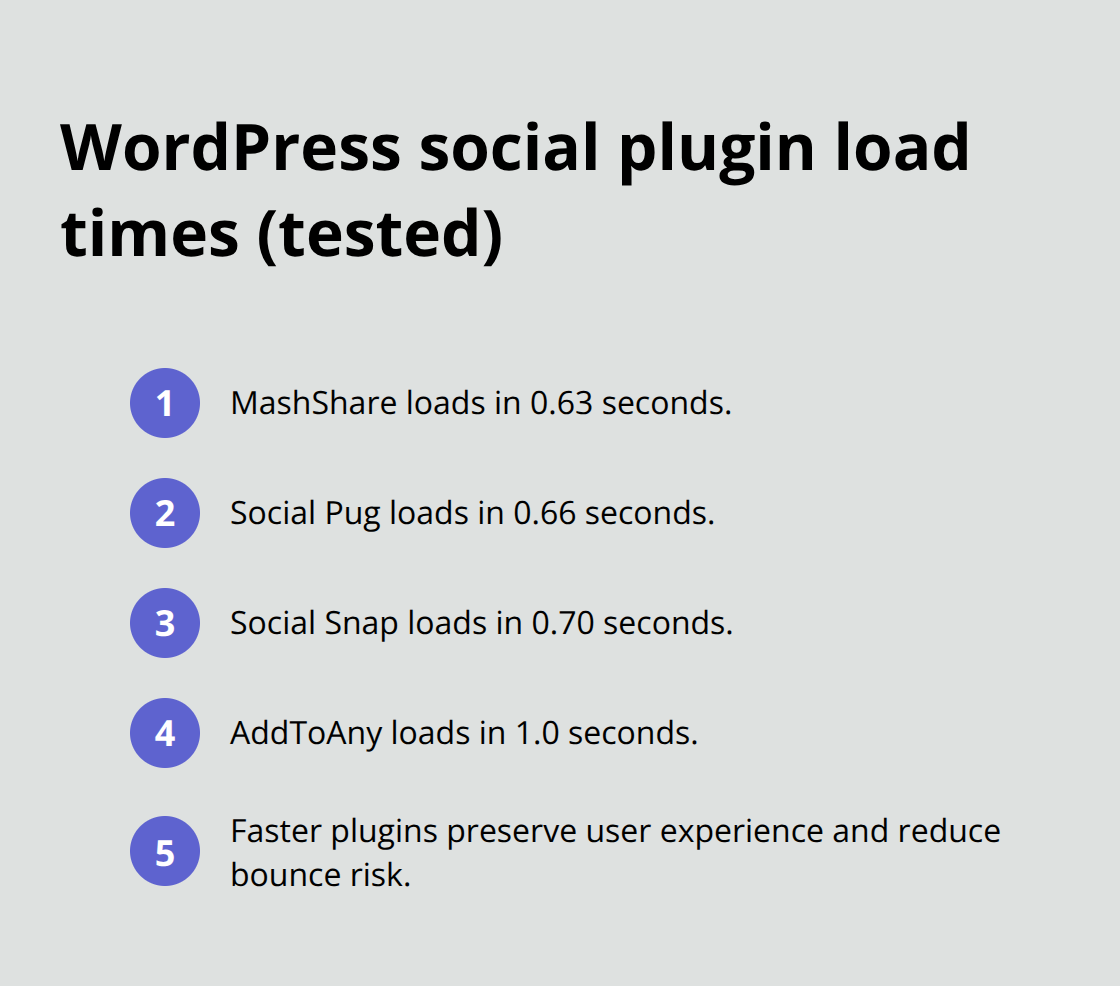
Page loading speed directly affects user experience, with bounce rates increasing as page load time goes from 1 second to 3 seconds. Fast-loading plugins like MashShare (0.63 seconds) and Social Snap (0.70 seconds) maintain your site performance without sacrificing functionality.
Design Flexibility That Matches Your Brand
Customization options determine whether social buttons enhance or detract from your site design. Social Warfare provides complete control over button appearance, custom titles, and placement options that integrate seamlessly with any theme. Shareaholic offers visual editors for icon customization, while Monarch supports over 35 social networks with various display styles. The best plugins allow you to modify colors, sizes, and positioning without touching code. Avoid plugins that force generic designs or limit placement to predetermined locations.
Analytics Integration for Performance Optimization
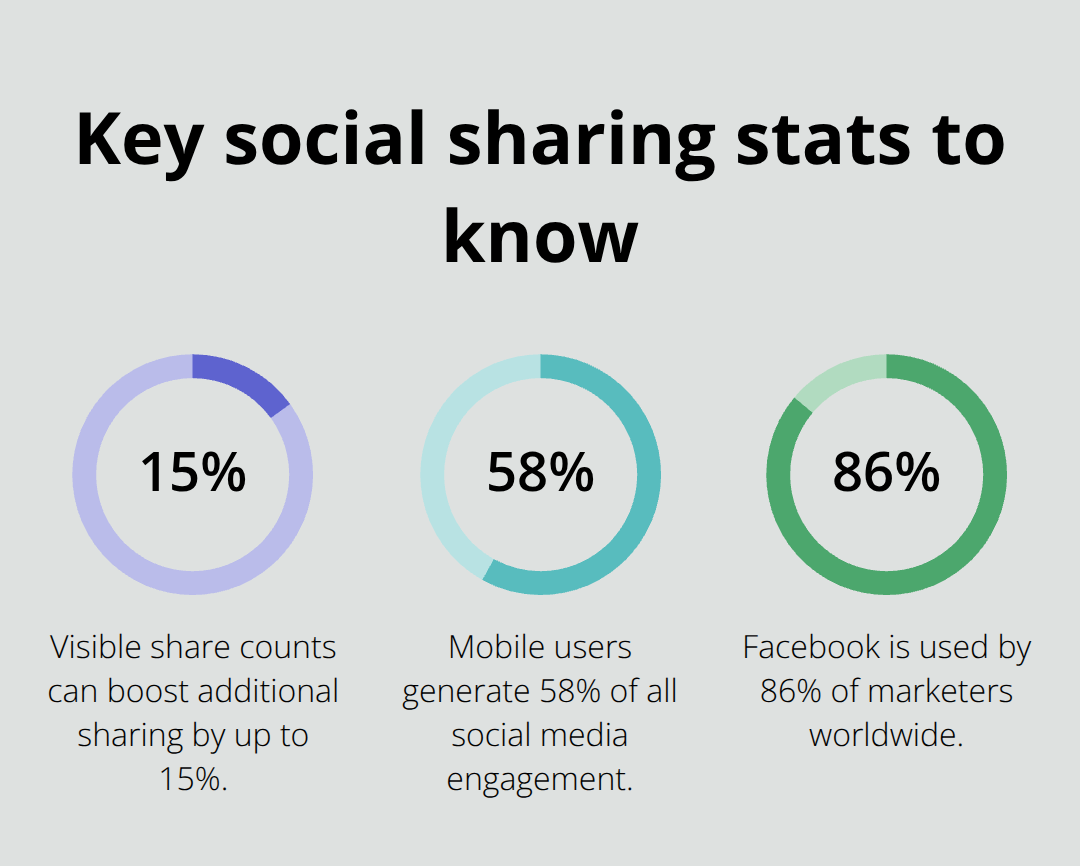
Tracking social sharing performance guides content strategy decisions. Social Warfare includes built-in analytics that track clicks, shares, and engagement patterns across different platforms. Blog2Social provides detailed calendar management with performance metrics for scheduled posts. Plugins without analytics leave you guessing about which content resonates with your audience. Choose solutions that integrate with Google Analytics or provide native reporting dashboards. Share count displays serve as social proof, with studies showing that visible share numbers increase additional sharing by up to 15%.
Mobile Optimization Cannot Be Optional
Mobile users generate 58% of all social media engagement, making responsive design non-negotiable. Social Snap supports inline, floating, and media buttons that adapt to different screen sizes automatically. Plugins must load quickly on mobile connections and provide touch-friendly button sizes. Test your chosen plugin across various devices before committing to premium versions.
Now that you understand the essential features that separate top-tier social sharing plugins from basic alternatives, let’s examine how the leading WordPress solutions stack up against each other in real-world performance tests.
Which WordPress Social Sharing Plugin Performs Best
ShareThis Social Share Buttons stands out as the most comprehensive solution with over 40 platforms and extensive customization options. The plugin loads in approximately 0.8 seconds and adds minimal code bloat to your pages. ShareThis provides tools to boost traffic, grow your social following, and build lasting connections with every visitor through their dashboard analytics. Their sticky share buttons increase engagement compared to static placement. The free version includes Facebook, Twitter, Pinterest, and email options, while premium plans start at $9 monthly and unlock advanced features like A/B tests and priority support.
AddToAny Delivers Universal Access
AddToAny supports the widest range of social networks with over 100 options, including WhatsApp, Telegram, and regional platforms like WeChat. Despite slower load times at 1.0 seconds, the plugin compensates with its universal button that adapts to user preferences automatically. The float bar increases mobile engagement based on their usage statistics. AddToAny’s strength lies in its simplicity and reliability across different WordPress themes without configuration adjustments. The plugin remains completely free while premium customization works through CSS modifications.
Social Warfare Offers Premium Performance Control
Social Warfare allows you to add custom images, titles, and descriptions to your posts, helping boost clicks and increase traffic. The plugin loads at 0.73 seconds and strikes an optimal balance between features and performance. The share recovery feature prevents count losses when URL changes occur (maintains social proof credibility). Premium plans start at $29 annually and include advanced analytics, custom share quotes, and priority customer support. Social Warfare works exceptionally well with content strategies that require platform-specific message optimization.
These performance differences matter when you implement social buttons on your site. The next step involves strategic placement and configuration to maximize engagement rates across your chosen platforms.
How to Maximize Social Sharing Results
Strategic Button Placement Drives Engagement
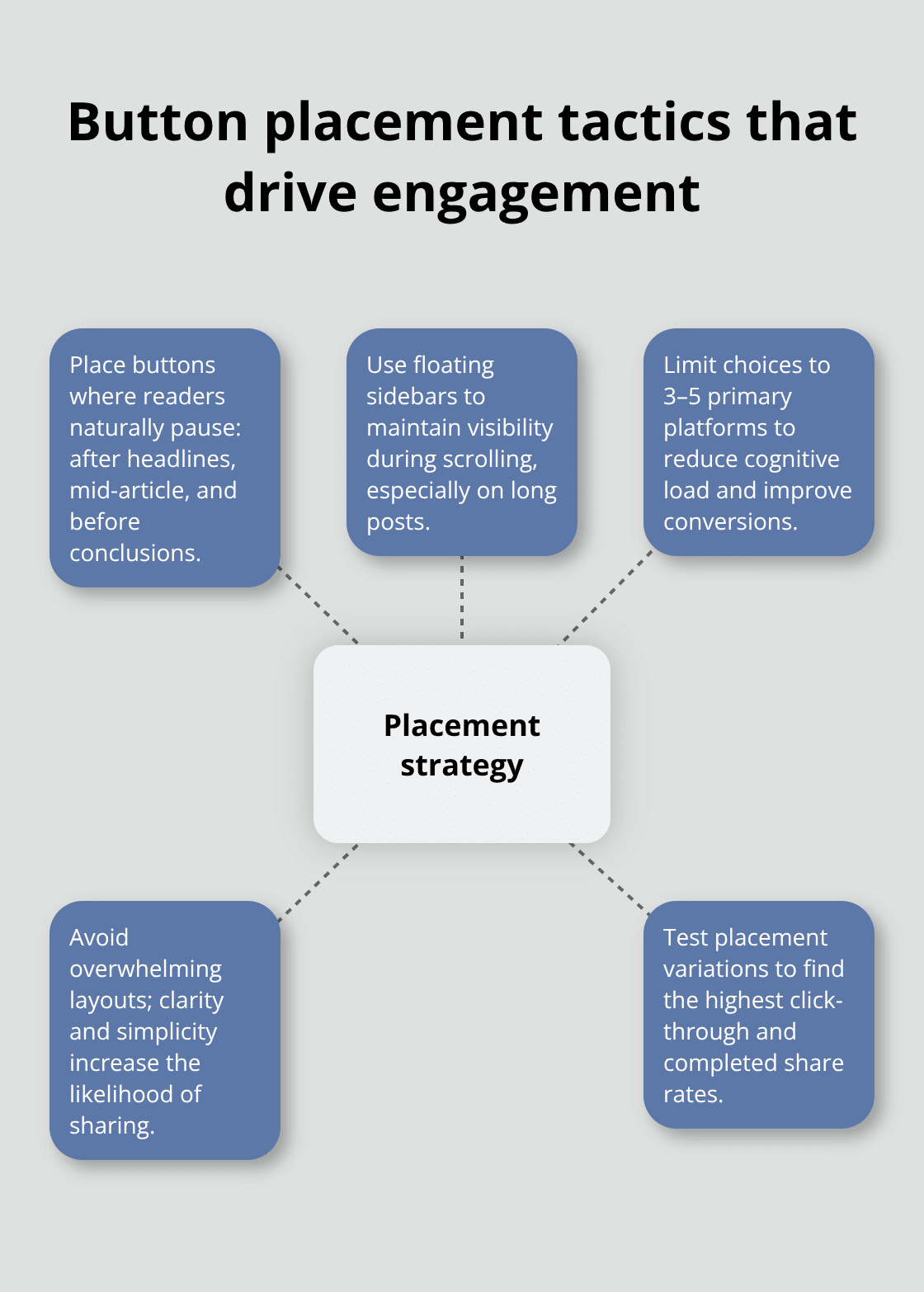
Position social buttons above the fold and at content conclusions for maximum visibility. Research shows that floating sidebar buttons can improve engagement, though the most effective share buttons are often for bookmarking or “read later” services. Place buttons where readers naturally pause: after headlines, before conclusions, and within compelling paragraphs. Avoid overwhelming users with excessive options. Limit choices to 3-5 primary platforms that align with your audience demographics. The paradox of choice reduces sharing when too many options appear simultaneously.
Platform Selection Based on Audience Data
Facebook is the most-used platform by marketers worldwide at 86%, making it essential for most content strategies. LinkedIn performs best for B2B content with professional audiences, while Pinterest dominates visual content sharing. Instagram works for lifestyle and creative industries, but lacks direct link sharing capabilities. Twitter excels for news, commentary, and real-time engagement. Analyze your Google Analytics social referral data to identify which platforms drive actual traffic versus vanity metrics. Remove underperforming platforms to reduce cognitive load and improve conversion rates.
Testing Reveals Optimal Button Configurations
A/B test button styles, colors, and placement positions to identify high-performing combinations. Bright colors like orange and red increase click-through rates by 21% compared to muted tones (based on HubSpot testing). Square buttons outperform circular designs for desktop users, while mobile users prefer larger touch targets. Test floating versus inline placement, icon-only versus text labels, and share count visibility. Run tests for minimum two weeks to account for traffic variations. Monitor both click-through rates and actual shares, as some configurations generate clicks without completing the sharing action.
Mobile Optimization Strategies
Mobile users complete 58% of all social media engagement, making responsive design essential. Configure buttons to load quickly on mobile connections and provide touch-friendly sizes. Test your button performance across various devices before committing to premium versions. Floating buttons work better on mobile screens than inline placement (they remain visible during scrolling). Optimize button spacing to prevent accidental clicks while maintaining easy access for users.
Final Thoughts
Social Pug and MashShare lead WordPress social sharing plugins for speed performance, while Social Warfare excels in customization control. ShareThis provides the most comprehensive platform coverage, and AddToAny offers universal compatibility across themes. Your plugin choice should prioritize load speeds under 0.8 seconds, mobile responsiveness, and analytics integration.
The most effective implementations combine strategic button placement with audience-specific platform selection. Facebook remains essential for 86% of content strategies, while LinkedIn serves B2B audiences and Pinterest dominates visual content. A/B tests reveal that bright colors increase engagement by 21% and proper mobile optimization captures 58% of social media interactions.
WordPress social sharing plugins can increase blog traffic by up to 700% when you implement them correctly. Focus on fast solutions that match your brand design and provide actionable analytics. For comprehensive WordPress functionality beyond social sharing, Pluginizer offers unlimited access to premium plugins and themes through a single subscription (helping you build more engaging websites efficiently).

