
Your website represents your IT business in the digital world. The wrong theme can make even the most innovative tech company look outdated and unprofessional.
We at Pluginizer know that finding the best IT WordPress themes requires balancing aesthetics with functionality. The right theme builds trust with potential clients while showcasing your technical expertise effectively.
Which WordPress Themes Work Best for IT Companies
Astra leads the performance race for IT businesses with a 93/100 PageSpeed mobile score and 2.1-second load times. This speed advantage converts directly into better user experience and higher conversion rates for IT service providers. The theme provides over 100 pre-built starter templates designed specifically for technology companies, with layouts for software development, cybersecurity, and cloud services. Astra works seamlessly with popular page builders like Elementor and supports advanced WooCommerce features, making it perfect for IT companies that sell digital products or services.
Enterprise Performance Standards
GeneratePress delivers enterprise-grade performance with clean code that adds less than 10KB to page size. The theme loads in 2.9 seconds with an 87/100 mobile score while offering extensive customization options through premium modules. IT companies can create unique branding without speed compromises. OceanWP features a 1-click demo content importer that accelerates website setup for busy IT professionals while maintaining lightweight 3.1-second load times. Both themes support multilingual functionality through WPML integration (essential for global IT service providers).
Mobile-First Design Excellence
Neve achieves a 92/100 mobile score with only 28KB install size, perfect for IT companies that target mobile-first audiences. The theme loads in 2.2 seconds and offers translation-ready features for international markets. Hello theme, optimized specifically for Elementor, maintains a 91/100 mobile score with 2.3-second load times.
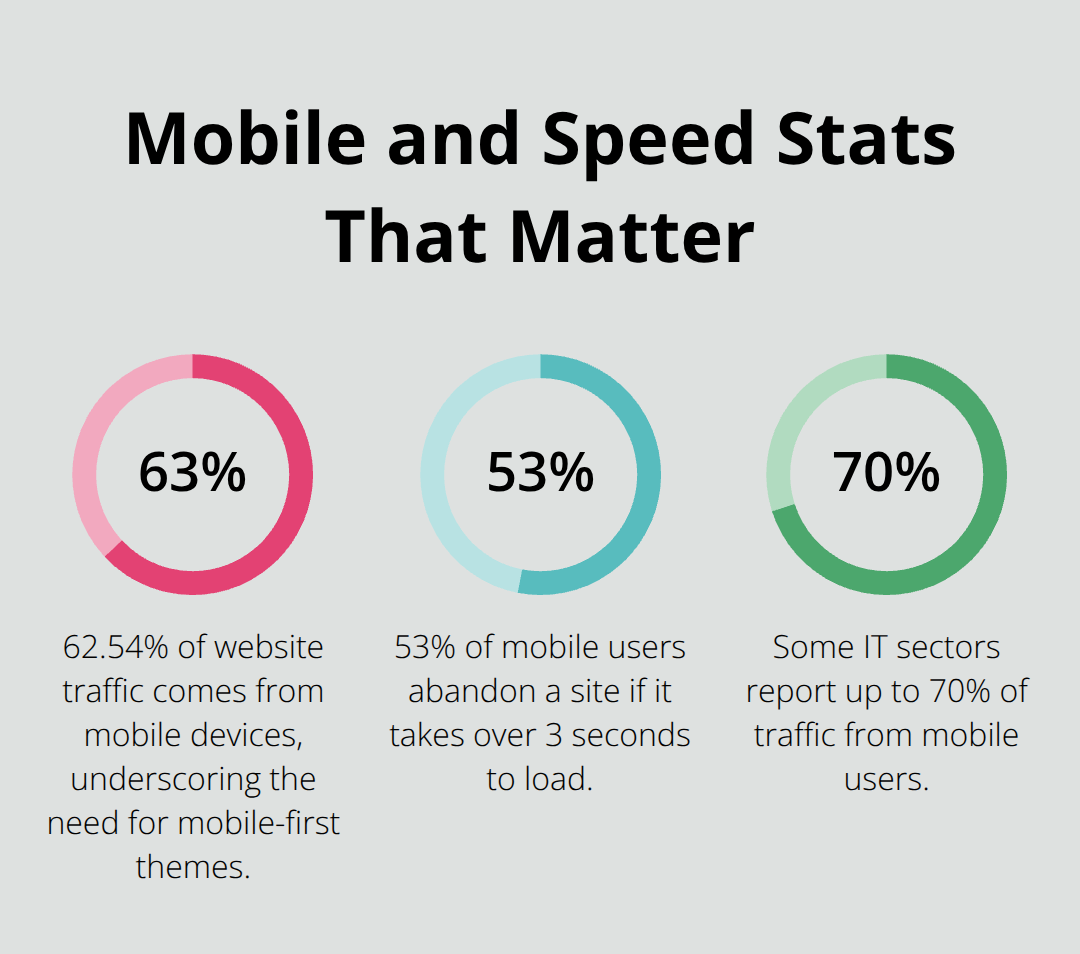
These themes prioritize mobile responsiveness, which matters for IT businesses where 62.54% of traffic comes from mobile devices. Each theme includes built-in SEO optimization and supports popular plugins like Contact Form 7 and WP Rocket for enhanced performance.
Speed Optimization Features
Fast themes like Astra and GeneratePress implement advanced caching mechanisms and code minification that reduce server response times. These optimization features become particularly important when IT companies showcase complex technical content or run resource-intensive applications. The themes compress images automatically and support lazy loading (which improves perceived speed on mobile devices). Performance metrics from PageSpeed Insights consistently show these themes outperform competitors in Core Web Vitals measurements.
The next step involves examining specific features that make these premium WordPress themes stand out for professional IT websites.
Key Features to Look for in IT WordPress Themes
SEO Optimization and Performance Standards
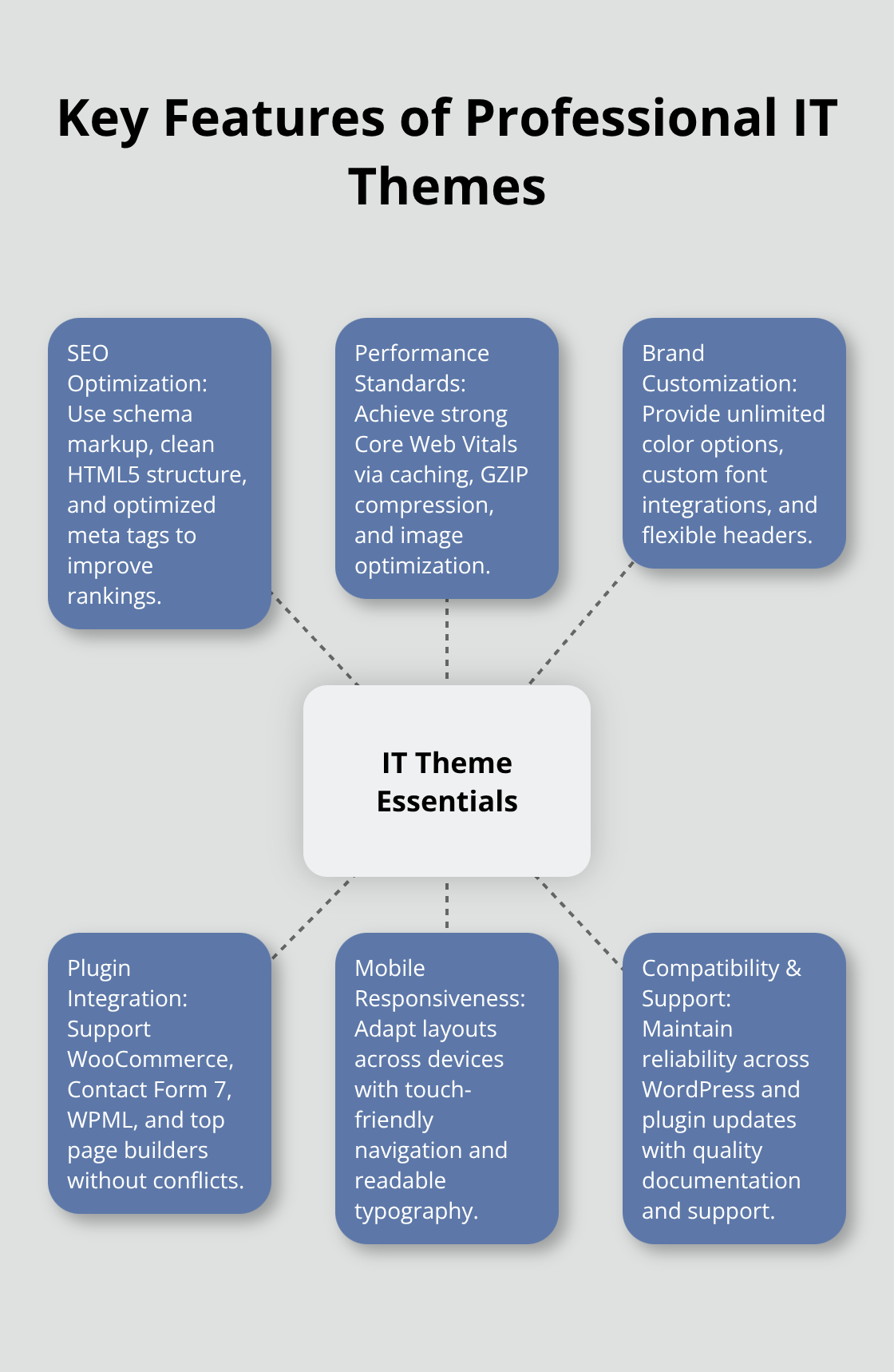
SEO optimization separates professional IT themes from amateur alternatives. Modern themes prioritize search engine optimization and include schema markup, clean HTML5 code structure, and optimized meta tag handling that boost search engine rankings. These themes generate semantic URLs automatically and support breadcrumb navigation (which Google favors for technical content indexing). Loading speed directly impacts conversion rates, with studies showing that 53% of mobile users leave a website if it takes over three seconds to load. The fastest IT themes achieve Core Web Vitals scores above 90 through advanced caching, GZIP compression, and automatic image optimization without additional plugins.
Brand Customization Capabilities
Customization capabilities determine how effectively you can match your brand identity. Look for themes that offer unlimited color schemes, custom font integration through Google Fonts or Adobe Fonts, and flexible header layouts.
Astra provides over 200 customization options through its theme customizer, while GeneratePress offers modular premium add-ons for advanced typography and spacing controls. Professional themes allow complete control over visual elements without code modifications.
Essential Plugin Integration
Integration compatibility becomes critical for IT businesses that rely on specialized tools. Top themes support WooCommerce for software license sales, Contact Form 7 for lead generation, WPML for multilingual sites, and page builders like Elementor or Beaver Builder. Avoid themes that conflict with security plugins like Wordfence or performance tools like WP Rocket (as these integrations are essential for professional IT websites). Quality themes maintain compatibility across major plugin updates and WordPress versions.
Mobile Responsiveness Requirements
Mobile responsiveness affects user experience and search rankings significantly. Professional IT themes adapt layouts automatically across devices while maintaining fast load times on mobile connections. Test themes on multiple screen sizes to verify touch-friendly navigation and readable typography. Mobile-first design principles help IT companies reach the growing mobile audience effectively.
Understanding these features helps you evaluate themes systematically, but choosing the right theme requires matching these capabilities to your specific business requirements and technical constraints.
How to Choose the Right IT Theme for Your Business
Selecting the right IT theme requires a systematic approach that matches technical requirements with business objectives. Start by identifying your primary audience demographics and their device preferences through Google Analytics data, then examine competitor websites to understand industry design standards. IT service companies that target enterprise clients need professional layouts with detailed service pages, while software startups require modern designs that emphasize innovation and user experience. Performance testing becomes essential during theme evaluation. Test potential themes with GTmetrix and PageSpeed Insights to verify load times under 3 seconds and mobile scores above 85/100.
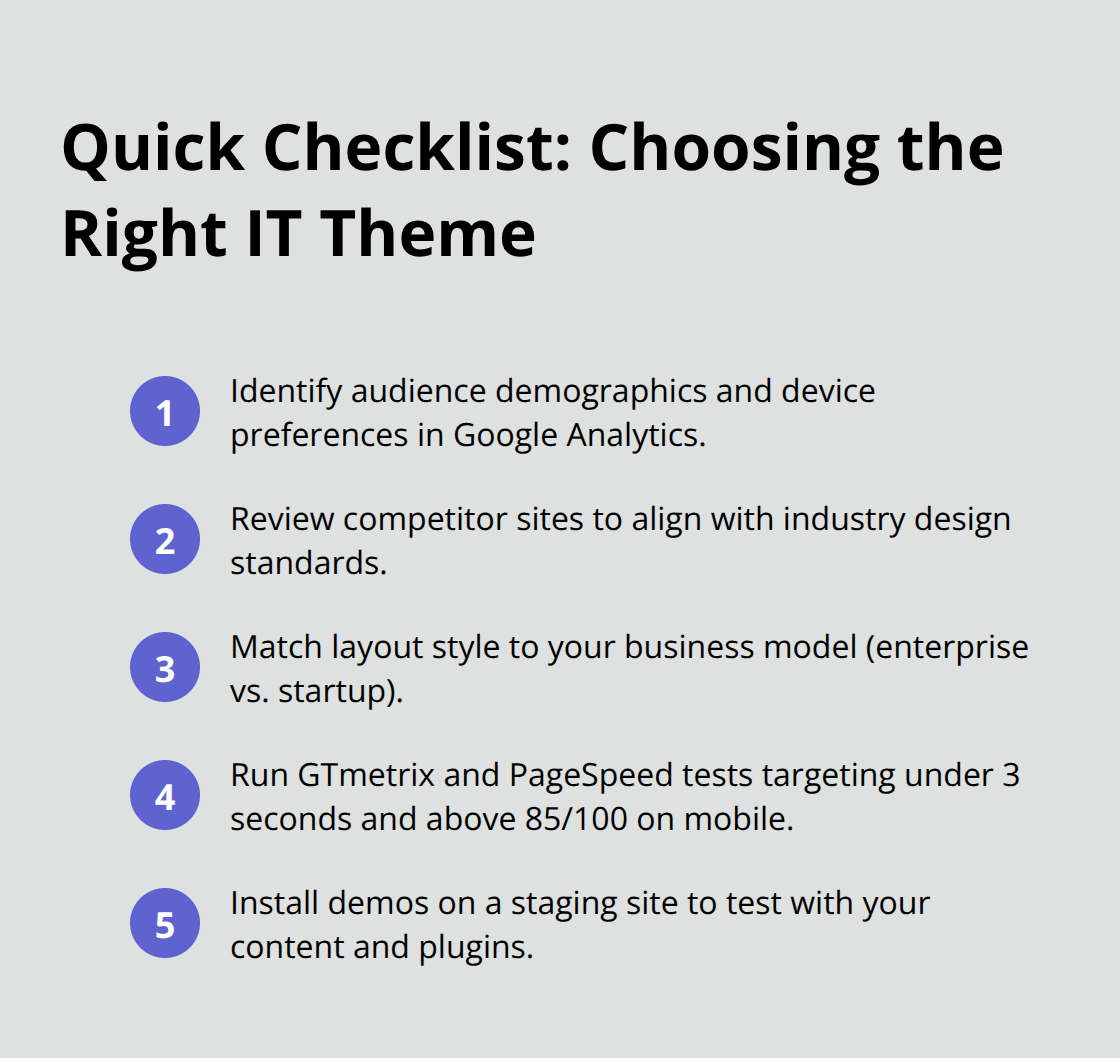
Download theme demos and install them on staging sites to assess real-world performance with your content volume and plugin requirements.
Performance Testing Protocol
Load testing reveals how themes handle traffic spikes and content-heavy pages that IT companies typically create. Use tools like Pingdom to test themes from multiple geographic locations, as global IT businesses serve international audiences with different connection speeds. Themes that maintain consistent performance across different server locations and device types provide better user experience for diverse client bases. Support quality evaluation requires you to check response times for theme developers, examine documentation completeness, and review user forums for common issues. Premium themes with dedicated support teams resolve technical problems faster than free alternatives (which matters when website downtime affects business operations).
Plugin Compatibility Verification
Test essential plugin combinations before you commit to any theme, as conflicts can break functionality or compromise security. Install your required plugins on theme demos to verify seamless integration with contact forms, security tools, SEO plugins, and page builders. Popular themes like Astra and GeneratePress maintain extensive compatibility databases, but always verify with your specific plugin stack. WordPress version compatibility becomes important for long-term maintenance, as outdated themes create security vulnerabilities and limit access to new features that improve website performance and user experience.
Audience Analysis Requirements
Analyze your target market demographics to determine design preferences and functionality needs. Enterprise IT clients expect conservative layouts with detailed service descriptions and case study sections, while tech startups prefer bold designs that showcase innovation. Mobile usage patterns vary significantly between industries (with some IT sectors seeing up to 70% mobile traffic). Review competitor websites to identify design trends and feature expectations within your specific IT niche. Document these requirements before theme evaluation to maintain focus on business-critical features.
Final Thoughts
Astra, GeneratePress, and Neve stand as the best IT WordPress themes for professional websites. These themes achieve mobile scores above 90/100 and load times under 3 seconds. IT businesses gain client credibility through these performance standards.
Test themes thoroughly on staging environments before you launch live websites. Install essential plugins, verify mobile responsiveness across devices, and confirm that customization options match your brand requirements. Performance optimization through caching plugins and image compression maximizes your theme’s potential (while maintaining professional standards).
WordPress releases monthly updates that require theme compatibility, and outdated themes create security vulnerabilities. Monitor theme performance quarterly with PageSpeed Insights and address speed issues immediately. We at Pluginizer simplify asset management for IT businesses through unlimited access to premium WordPress resources, reducing costs for agencies and developers who build multiple websites.

