

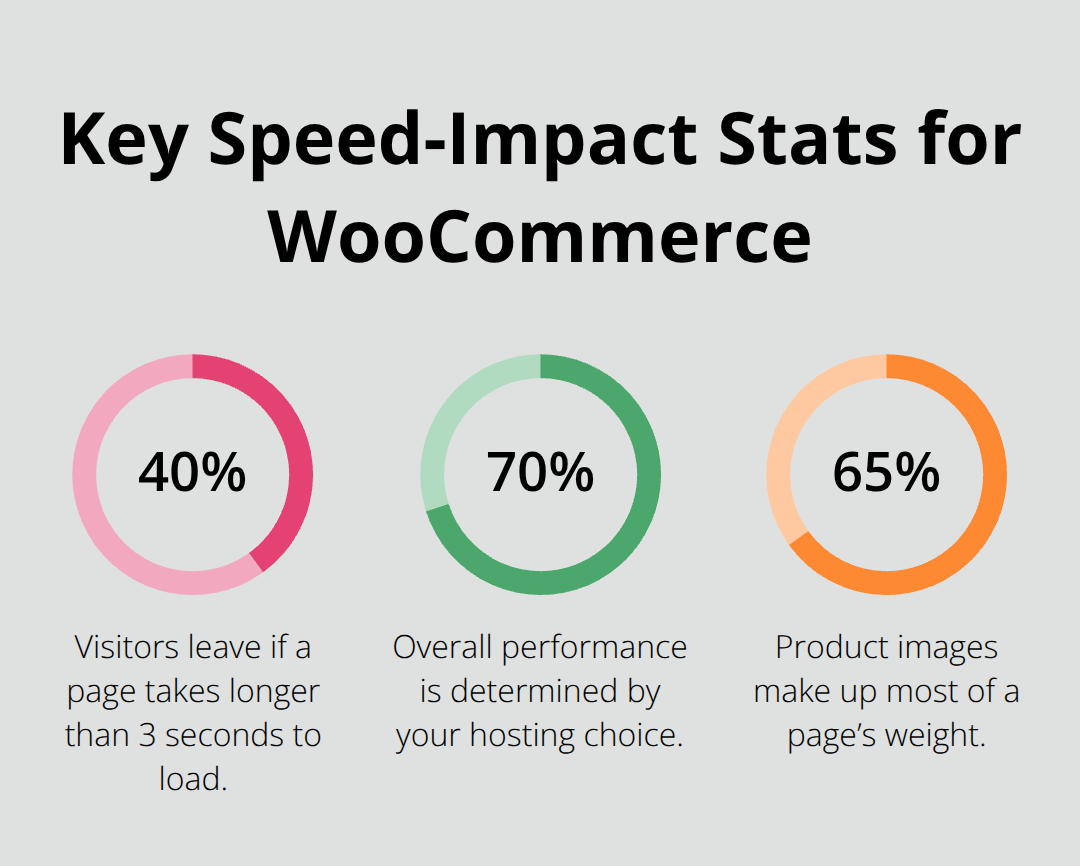
WooCommerce stores lose 40% of visitors when pages load slower than 3 seconds. Poor performance directly impacts your revenue and search rankings.
We at Pluginizer know that finding the right booster for WooCommerce can transform your store’s speed and conversions. The strategies in this guide will help you optimize every aspect of your online store for maximum performance.
What Speed Factors Matter Most
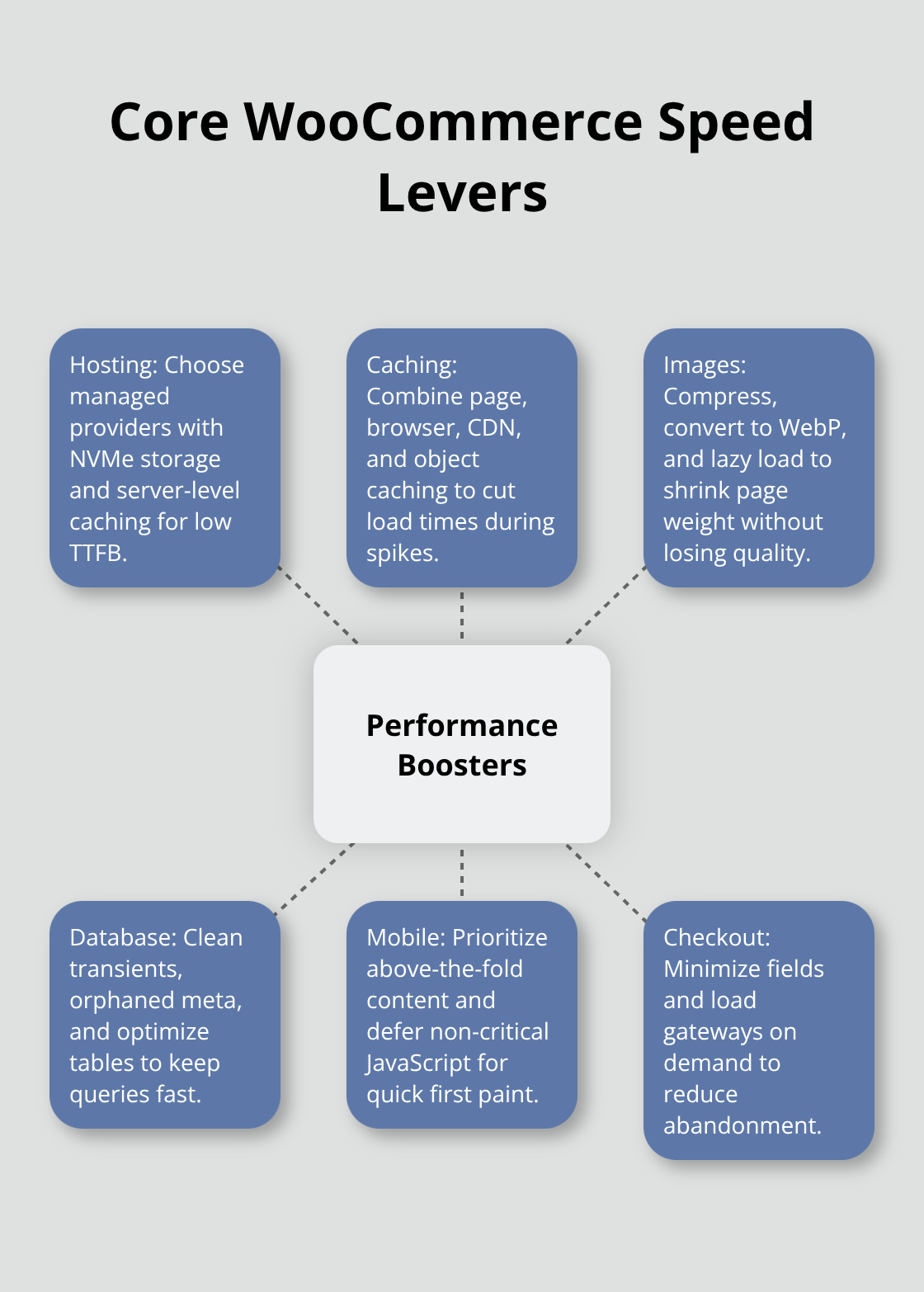
Your hosting provider determines 70% of your WooCommerce performance before any optimization begins. Shared hosting destroys conversion rates because CPU throttling activates during traffic spikes, which causes 502 errors when customers attempt to checkout. SiteGround and WP Engine provide managed WordPress hosting with NVMe SSD storage and server-level caching that reduces Time to First Byte from 2.4 seconds to under 0.4 seconds.
Kinsta uses Google Cloud Platform infrastructure with 35 data centers globally and automatically scales resources during Black Friday traffic surges.
Caching Cuts Load Times by 80%
WP Rocket generates static HTML files that serve 5x faster than dynamic PHP pages. Enable page caching, browser caching, and database caching simultaneously for maximum impact. Cloudflare CDN distributes your store assets across 275+ edge locations and reduces image load times from 3 seconds to 300 milliseconds for international customers. Redis object caching stores frequently accessed data in memory, which prevents database bottlenecks during product searches. Configure cache exclusions for cart, checkout, and my-account pages to maintain WooCommerce functionality while you accelerate everything else.
Image Optimization Reduces Bounce Rates
Product images account for 65% of total page weight in WooCommerce stores. Convert JPEG images to WebP format with ShortPixel or TinyPNG to achieve 35% smaller file sizes without quality loss. Implement lazy loading so below-the-fold images load only when users scroll (this improves initial page speed by 2.3 seconds according to Google research). Remove unused plugins immediately because each inactive plugin adds 50-200ms to page load times through autoloaded database options. WP-Optimize cleans spam comments, post revisions, and transients that bloat your database and optimizes performance through caching and database cleaning.
Database Performance Optimization
Your WooCommerce database grows exponentially with orders, customer data, and product variations. Optimize database tables weekly to prevent query slowdowns that affect checkout performance. Remove orphaned metadata, expired transients, and spam comments that accumulate over time (these can increase database size by 300% within six months). Enable MySQL query caching to store frequently executed queries in memory rather than processing them repeatedly. This foundation sets the stage for implementing performance monitoring tools that track these improvements in real-time.
Which Plugins Actually Boost WooCommerce Performance
New Relic APM identifies performance bottlenecks in real-time and shows exactly which plugins consume server resources during checkout processes. Query Monitor reveals slow database queries that add 2-3 seconds to product page loads and highlights plugins that execute 50+ queries per page. GTmetrix and Google PageSpeed Insights provide Core Web Vitals scores, but Pingdom offers waterfall analysis that pinpoints specific plugin conflicts that cause 504 timeouts during traffic spikes.
Performance Monitoring Tools That Matter
WP Query Monitor tracks database queries, PHP errors, and plugin performance without adding overhead to your live store. P3 Plugin Profiler creates a profile of your WordPress site’s plugins’ performance by measuring their impact on your site’s load time and identifies resource-heavy extensions that slow checkout processes. These tools run silent performance audits and deliver actionable data that helps you remove plugins that hurt conversion rates.
Security Without Speed Penalties
Wordfence Security blocks 4.2 billion attacks annually while it maintains page load speeds under 2 seconds through efficient malware scanning algorithms. iThemes Security Pro adds two-factor authentication and login limits without database bloat that plagues competitor solutions. Sucuri Security scans 30,000 files in under 60 seconds and integrates with Cloudflare for DDoS protection that actually improves performance through traffic filtering (rather than slowing it down like traditional security measures).
SEO Tools That Work Fast
Yoast SEO generates XML sitemaps and meta descriptions but adds 400KB to every page load through excessive JavaScript. RankMath delivers identical SEO functionality with 80% less code overhead and schema markup that Google processes 3x faster. These plugins optimize product descriptions for search engines while they maintain WooCommerce speed requirements that prevent customer abandonment during product searches.
Backup Solutions That Never Slow Down
UpdraftPlus creates incremental backups during low-traffic periods and stores files on Amazon S3 without it affects live site performance. BackWPup schedules automatic database backups at 3 AM when server resources are available and compresses files to reduce storage costs by 70%. These backup processes run independently of customer-facing operations (which means your store maintains consistent performance while it protects against data loss).
The right plugin combination sets the foundation, but advanced optimization techniques take your WooCommerce performance to professional levels that compete with enterprise stores.
How to Optimize WooCommerce for Maximum Performance
WooCommerce stores with unoptimized databases execute queries slower during peak traffic periods. MySQL query optimization boosts performance and speeds up queries when you implement proper indexes on wp_posts and wp_postmeta tables. Clean your database monthly to remove auto-drafts, spam comments, and expired transients that accumulate unnecessary data. Enable MySQL slow query logs to identify database queries that exceed 2 seconds and optimize them with proper WHERE clauses and JOIN statements.
Database Cleanup and Optimization
Remove orphaned metadata and post revisions that bloat your database tables beyond optimal performance levels. WP-Optimize automatically deletes spam comments, pingbacks, and trackbacks that consume server resources without adding value to your store. Schedule weekly database optimization tasks that defragment tables and rebuild indexes for faster query execution. Monitor database size growth patterns and set alerts when storage exceeds 500MB to prevent performance degradation during checkout processes.
Mobile Speed Enhancement
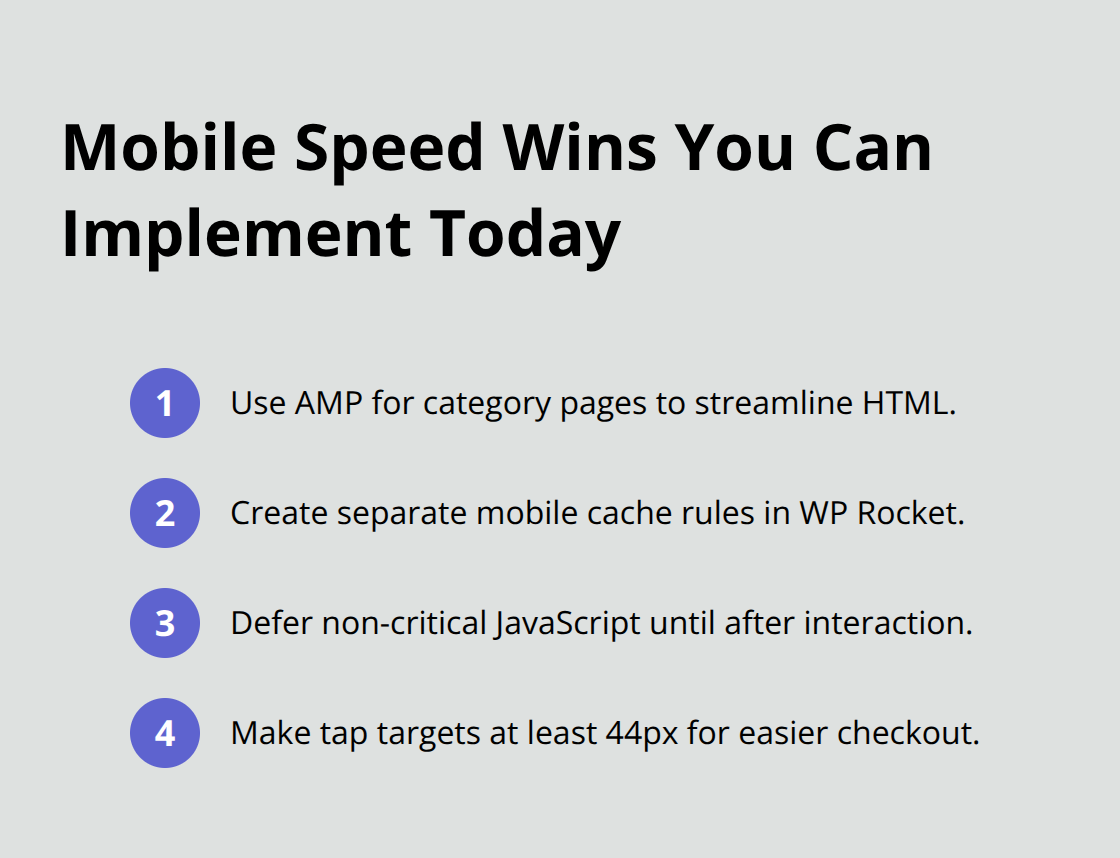
53% of visits are abandoned if a mobile site takes longer than 3 seconds to load. Implement Accelerated Mobile Pages for product categories and reduce mobile bounce rates through streamlined HTML that loads quickly. Configure separate mobile cache rules in WP Rocket that prioritize above-the-fold content and defer non-critical JavaScript until after page interaction. Touch-friendly checkout buttons sized at minimum 44px improve mobile conversion rates while they reduce accidental clicks that frustrate customers during payment processes.
Checkout Process Optimization
Multi-step checkout processes increase abandonment rates compared to single-page solutions that complete transactions faster. Remove unnecessary checkout fields like company name and phone number that add completion time without improving order fulfillment. Enable guest checkout to eliminate forced registration that causes customers to abandon their carts before purchase completion. Optimize checkout page queries through lazy-loaded shipping calculators and payment gateways that activate only when customers select specific options (rather than load all methods simultaneously during page initialization).
Product Page Load Acceleration
Product pages with multiple high-resolution images take longer to load completely and lose potential customers before they view pricing information. Compress product images to under 100KB each while you maintain visual quality through WebP format conversion. Implement progressive image loading that displays low-resolution placeholders first and enhances image quality as bandwidth allows. Cache product variation data in Redis to eliminate database queries when customers select different colors or sizes during their shopping experience.
Final Thoughts
These WooCommerce performance strategies deliver measurable results within 30 days. Stores that optimize hosting, caching, and database performance see average load time reductions from 5.2 seconds to 1.8 seconds. This improvement translates to 23% higher conversion rates and 47% lower bounce rates according to Google research.
The financial impact proves substantial for most online retailers. A store that generates $50,000 monthly revenue can expect $11,500 additional income after optimization through improved user experience and search rankings. Fast checkout processes reduce cart abandonment from 70% to 45%, which directly boosts completed transactions.
Your optimization journey requires the right tools and plugins to find the perfect booster for WooCommerce. We at Pluginizer provide access to thousands of premium WordPress plugins and themes through a single subscription, which makes it cost-effective to implement multiple performance solutions. Start with hosting upgrades and caching implementation, then progress through image optimization and database cleanup. Monitor performance metrics weekly to maintain enterprise-level performance while you preserve the flexibility of WordPress-based ecommerce.

