

At Pluginizer, we’re always looking for ways to help you boost your online store’s performance. WooCommerce purchase notes are a powerful yet often overlooked feature that can significantly enhance your customer experience.
In this post, we’ll explore how to use purchase notes effectively, from implementation to creative applications. Get ready to transform your post-purchase communication and drive customer satisfaction to new heights.
What Are WooCommerce Purchase Notes?
A Powerful Post-Purchase Communication Tool
WooCommerce post-purchase emails can help build long-lasting relationships, generate repeat purchases, and boost revenues. These notes appear on the order confirmation page and in the follow-up email sent to customers post-purchase. They provide additional information, instructions, or promotional content at a critical moment in the customer journey.
Timing is Everything
Purchase notes stand out from other customer communications due to their unique timing and context. While most interactions occur before or during the sale, purchase notes arrive immediately after the customer commits to buying. This strategic timing reinforces the customer’s decision and sets clear expectations for what follows.
Boosting Customer Satisfaction
The use of purchase notes significantly improves customer satisfaction. Providing immediate, relevant information through purchase notes can transform your customers’ post-purchase experience.
Streamlining Customer Service
Well-crafted purchase notes have the potential to reduce customer service inquiries substantially. You can answer many common questions proactively by providing information about shipping times, usage instructions, or next steps. This approach not only enhances the customer experience but also allows your customer service team to focus on more complex issues.
Driving Sales Growth
Purchase notes also serve as a valuable tool for increasing sales. You can tap into this potential by using purchase notes to recommend complementary products or offer exclusive discounts on future purchases (a strategy that has proven effective for many e-commerce businesses).
The strategic use of purchase notes can create a more engaging and profitable customer experience in your WooCommerce store. In the next section, we’ll explore how to implement these powerful notes effectively in your online shop.
How to Add Purchase Notes in WooCommerce
Adding Purchase Notes to Products
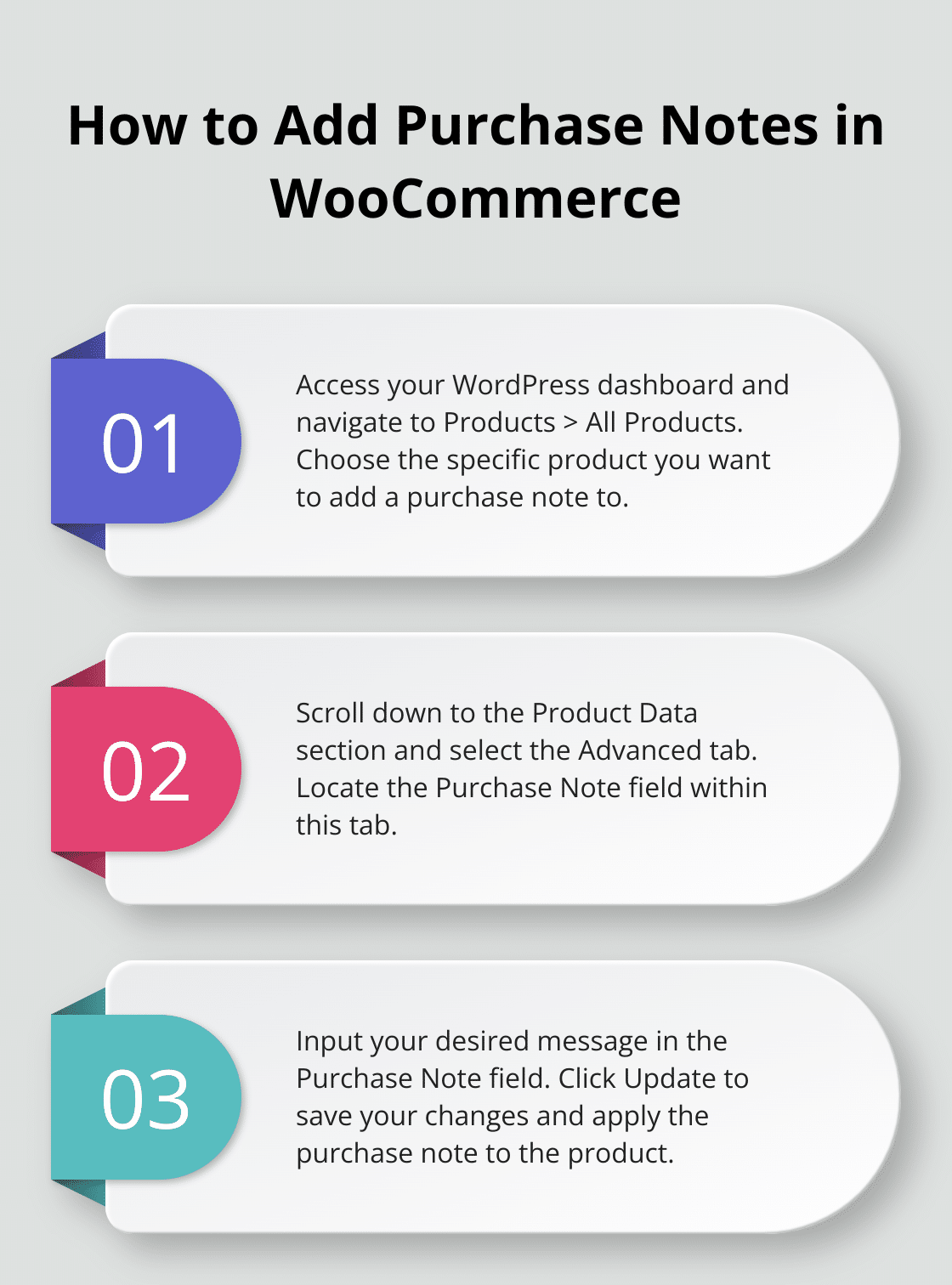
WooCommerce allows you to add purchase notes to specific products easily. Follow these steps:
- Access your WordPress dashboard
- Go to Products > All Products
- Choose the product for note addition
- Scroll to the Product Data section
- Select the Advanced tab
- Locate the Purchase Note field
- Input your message
- Click Update to save
This process enables you to tailor notes for individual products, ensuring customers receive relevant information about their purchase.
Customization Options
Enhance the impact of your purchase notes with these customization techniques:
- Apply HTML formatting for visual appeal
- Include links to resources or guides
- Add personalization with customer data (e.g., first name)
- Use emojis to add a friendly touch (when appropriate for your brand)
Try to keep your notes concise (2-3 sentences maximum) to ensure your message is read and understood.
Best Practices for Effective Notes
Maximize the impact of your purchase notes with these best practices:
- Be specific: Customize notes to the purchased product
- Provide value: Include information that enhances product experience
- Set expectations: Inform customers about shipping times or next steps
- Encourage engagement: Invite customers to join your social media or loyalty program
- Show appreciation: Thank customers for their purchase
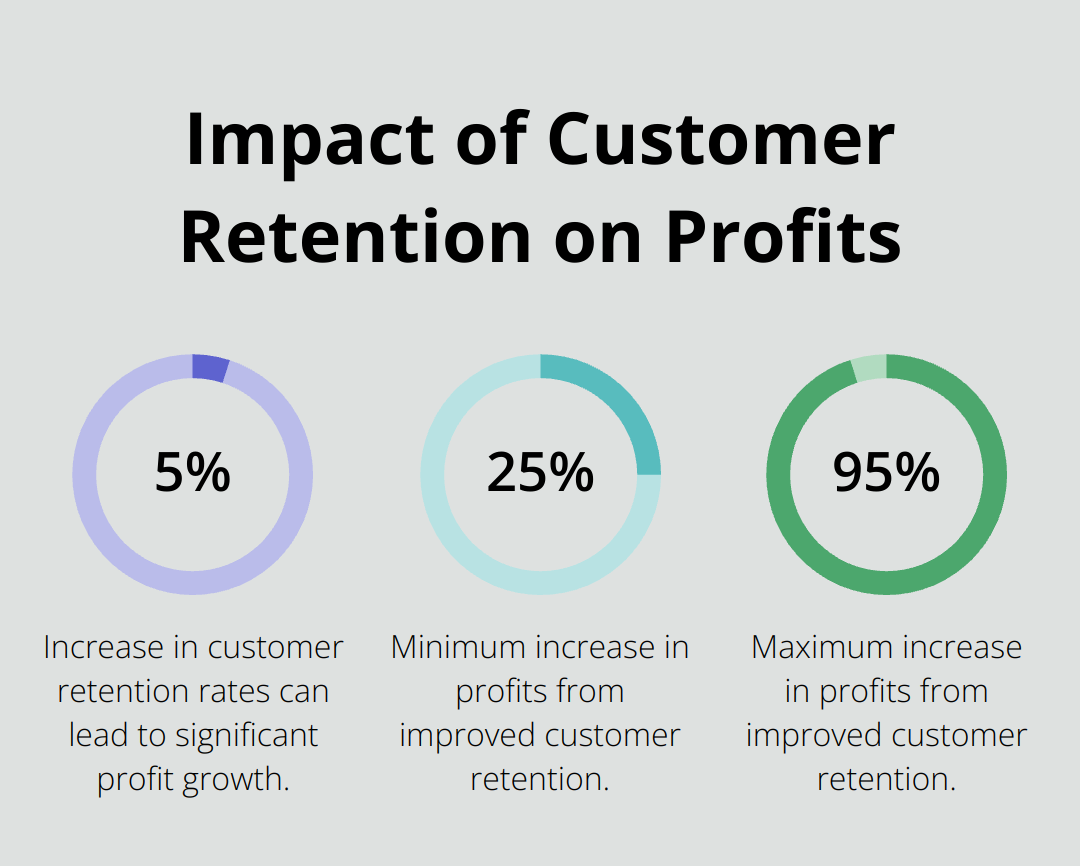
A study by Harvard Business Review indicates that increasing customer retention rates by 5% increases profits by 25% to 95%. This statistic highlights the importance of crafting thoughtful, relevant purchase notes.
Leveraging Purchase Notes for Business Growth
Purchase notes serve as a powerful tool for increasing sales. Use them to recommend complementary products or offer exclusive discounts on future purchases. This strategy has proven effective for many e-commerce businesses.
Streamlining Customer Service
Well-crafted purchase notes can significantly reduce customer service inquiries. Proactive customer service involves anticipating customer needs and addressing potential issues before they arise. This approach not only enhances the customer experience but also allows your customer service team to focus on more complex issues.
Now that you understand how to implement and optimize purchase notes, let’s explore some creative ways to use them to boost your WooCommerce store’s performance.
How Can You Maximize Purchase Notes?
Upsell and Cross-sell Strategically
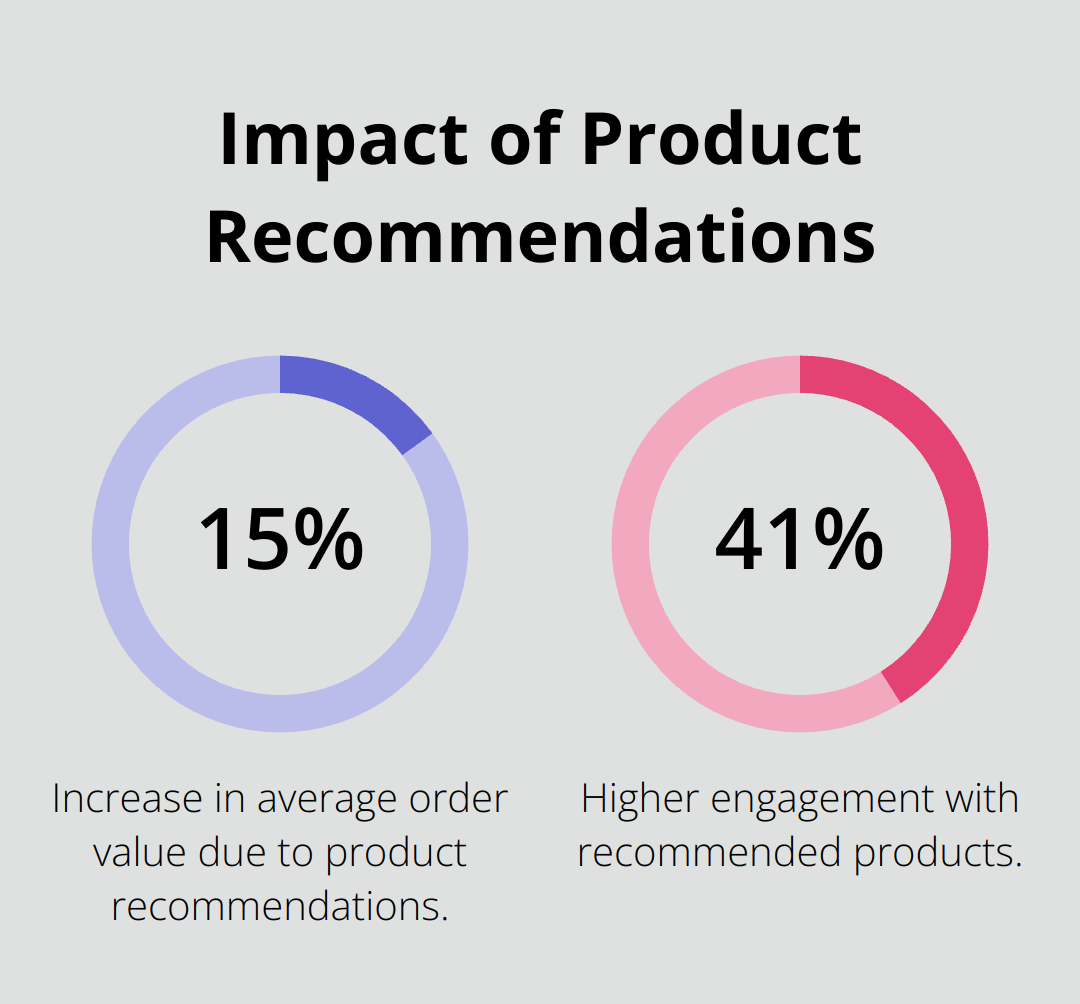
Purchase notes offer a prime opportunity to recommend complementary products or services. If a customer buys a laptop, your purchase note could suggest a laptop bag or extended warranty. Product recommendations can lead to a 15% increase in average order value and 41% higher engagement with recommended products.
Personalize these suggestions based on the customer’s purchase history or browsing behavior. This targeted approach increases the likelihood of additional sales and can significantly improve customer satisfaction scores.
Provide Valuable Post-Purchase Information
Use purchase notes to enhance the customer’s product experience. Include tips on how to get the most out of their purchase, care instructions, or links to video tutorials.
For coffee machine sales, a purchase note could include a link to a brewing guide or suggest the perfect coffee-to-water ratio for the best taste. This added value improves customer satisfaction and reduces the likelihood of returns due to user error.
Encourage Customer Feedback and Reviews
Reviews play a vital role in e-commerce success. Use purchase notes to ask customers for feedback or reviews once they’ve had time to use the product.
Try offering an incentive for leaving a review (such as a discount on their next purchase). This strategy helps gather valuable feedback and encourages repeat business.
Time your request appropriately. For skincare products, wait a few weeks before asking for a review to allow customers to see results.
Optimize for Mobile Users
With the increasing prevalence of mobile shopping, ensure your purchase notes are mobile-friendly. Keep messages concise and easy to read on smaller screens. Consider using bullet points or short paragraphs to improve readability.
Leverage Seasonal Opportunities
Tailor your purchase notes to seasonal events or holidays. During the holiday season, include gift-wrapping instructions or suggest complementary gift ideas. For summer products, provide tips on how to use the item for outdoor activities or vacations.
Final Thoughts
WooCommerce purchase notes offer a powerful way to enhance customer experience and drive business growth. These notes provide timely, relevant information at a crucial point in the customer journey, setting clear expectations and reducing customer service inquiries. They also create opportunities for additional sales, fostering customer loyalty and encouraging repeat purchases.
Effective implementation of purchase notes requires careful consideration of messaging, timing, and presentation. Customization to specific products, concise and mobile-friendly content, and strategic use for upselling or gathering feedback are key factors for success. Seasonal opportunities and optimization for different product types and customer segments further amplify their impact.
As you enhance your WooCommerce store, consider tools that streamline operations and boost functionality. Pluginizer provides access to over 15,000 premium plugins and themes, unlocking your website’s full potential with a single subscription. Start using WooCommerce purchase notes today and watch your e-commerce success reach new heights.

