

WordPress powers millions of websites worldwide. To unlock its full potential, you need the right plugins.
At Pluginizer, we’ve compiled a list of must-have WordPress plugins that can transform your site’s functionality and performance.
These essential tools, from SEO optimization to security and content management, will help you build a robust and successful online presence.
Which SEO Plugins Boost Your WordPress Site?
Search Engine Optimization (SEO) is vital for any WordPress website that wants to rank well in search results. The proper SEO plugins can dramatically improve a site’s visibility. Let’s explore three top-performing SEO plugins that can help your WordPress site climb the search engine rankings.
Yoast SEO: The Popular Choice
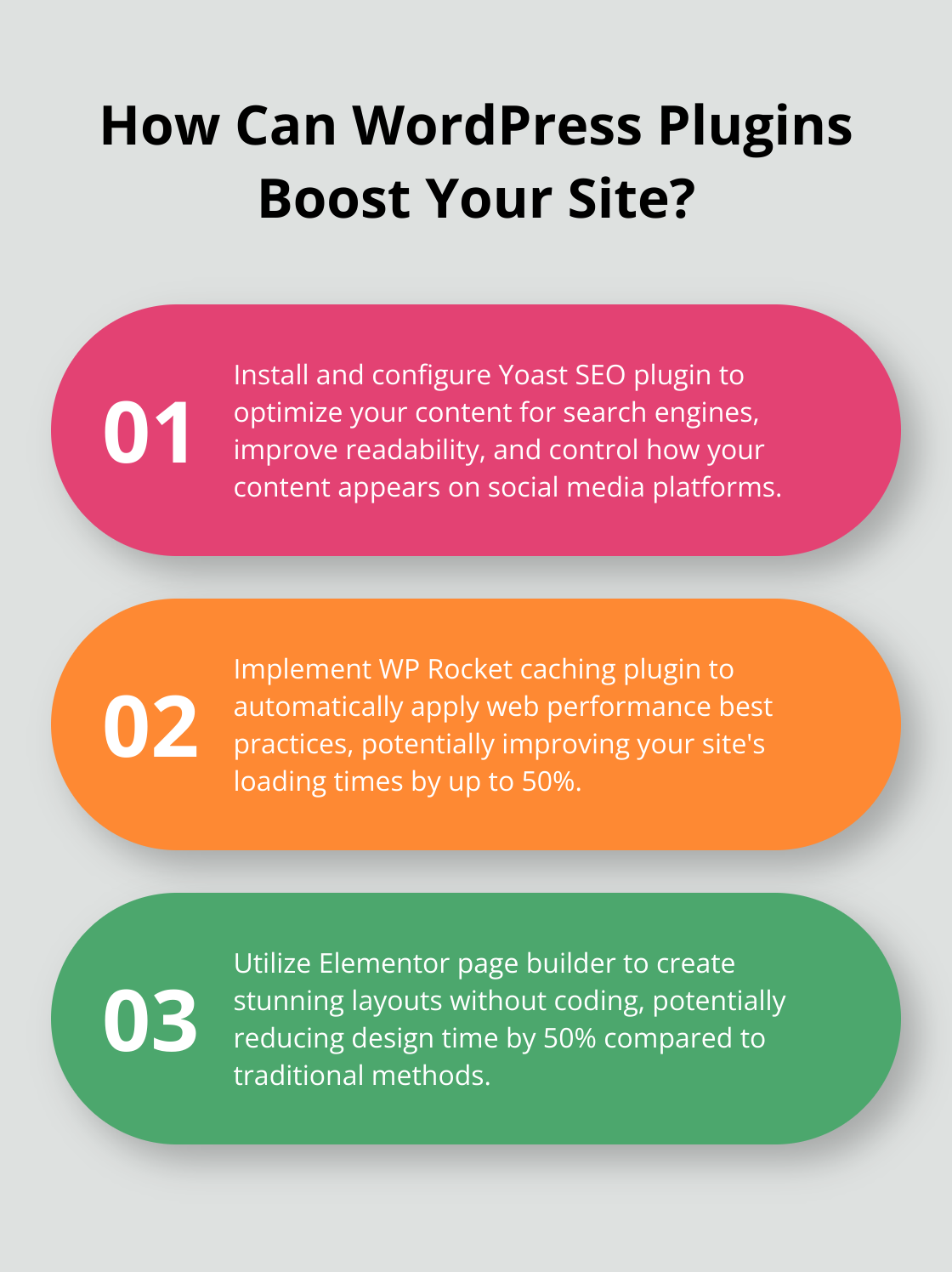
Yoast SEO is a household name in the WordPress community (and for good reason). This plugin offers a user-friendly interface that guides you through content optimization. It provides real-time content analysis and suggests improvements for readability and SEO. Yoast also generates XML sitemaps automatically, which makes it easier for search engines to crawl your site.

A standout feature of Yoast SEO is its social media integration. This feature lets you control how your content appears when shared on platforms like Facebook and Twitter, which can significantly boost your click-through rates on social media.
All-in-One SEO Pack: The Versatile Option
All in One SEO Pack is another powerful SEO plugin. It’s particularly well-suited for e-commerce sites and offers seamless integration with WooCommerce. This plugin excels at handling complex SEO tasks without overwhelming users.
One of its unique features is the ability to generate custom meta tags for non-WordPress pages. This is particularly useful if you run a hybrid site with WordPress and non-WordPress content.
Rank Math: The Rising Star
Rank Math has quickly gained popularity. It offers advanced features and user-friendliness that appeal to SEO novices and experts. Rank Math stands out with its schema markup feature, which helps search engines better understand your content and potentially improves your rich snippet appearances in search results.
Another impressive aspect of Rank Math is its built-in 404 error monitor and redirection manager. These features help maintain your site’s SEO health by addressing broken links and ensuring visitors always find what they want.
Pluginizer: The Ultimate SEO Solution
While these plugins offer excellent features, Pluginizer provides access to these and many more premium SEO plugins (over 15,000). With our service, you can test different SEO plugins to find the perfect fit for your site without needing multiple individual purchases. This flexibility allows you to optimize your SEO strategy effectively and cost-efficiently.
As we proceed, let’s explore another critical aspect of WordPress website management: security and performance plugins. These tools work with SEO plugins to create a robust and successful online presence.
How to Secure and Optimize Your WordPress Site
WordPress security and performance play a vital role in maintaining a successful website. This chapter explores top plugins that protect your site from threats and boost its speed.
Fortify Your Site with Wordfence Security
Wordfence Security provides a comprehensive security solution for WordPress. It includes a web application firewall (WAF) that blocks malicious traffic before it reaches your site. Wordfence offers a real-time threat defense feed, malware scanning, and login security features.

Wordfence excels at detecting and blocking complex threats. The plugin blocks an average of 2,800 attacks per second across all protected sites (according to Wordfence’s data). This level of protection proves essential in today’s cyber threat landscape.
Supercharge Site Speed with WP Rocket
Site speed impacts both user experience and search engine rankings. WP Rocket, a caching plugin, can significantly improve your WordPress site’s loading times. It automatically applies 80% of web performance best practices, making it an excellent choice for non-technical users.
WP Rocket’s features include page caching, browser caching, and GZIP compression. Users have reported speed improvements of up to 50% after implementing this plugin (based on case studies published on the WP Rocket website).
Enhance Protection with Sucuri Security
Sucuri Security offers a multi-layered approach to WordPress security. It provides features like file integrity monitoring, security hardening, and post-hack security actions. Sucuri’s standout feature is its website firewall, which proves particularly effective against DDoS attacks.
Sucuri’s 2019 Website Threat Research Report found that 60% of all websites cleaned by their team ran on WordPress. This statistic underscores the importance of robust security measures for WordPress sites.
Optimize with Pluginizer
While the plugins above offer excellent features, Pluginizer provides access to these and many more premium security and performance plugins (over 15,000). This flexibility allows you to test and use multiple security and optimization tools, ensuring you find the perfect combination for your site’s needs.
No single plugin can guarantee 100% security or optimal performance. Maintain regular updates, use strong passwords, and follow WordPress security best practices alongside these plugins. As we move forward, let’s explore another critical aspect of WordPress website management: content management and design plugins.
How to Enhance Your WordPress Site’s Design and Functionality
Revolutionize Your Design with Elementor
Elementor transforms WordPress web design. This drag-and-drop page builder creates stunning layouts without coding. With over 5 million active installations, Elementor proves its worth in the WordPress community.

Elementor’s live editing capability stands out. You see changes in real time as you make them, which speeds up the design process. A case study on Elementor’s website reported a 50% reduction in design time compared to traditional methods.
Elementor offers a vast library of pre-designed templates and blocks. This feature helps launch professional-looking sites quickly. Whether you build a portfolio, business website, or e-commerce store, Elementor provides tools to bring your vision to life.
Streamline Form Creation with WPForms
Forms serve as a primary method of user interaction on most websites. WPForms simplifies the process of creating and managing forms on your WordPress site.
WPForms features a user-friendly drag-and-drop interface and pre-built templates. These features allow you to create complex forms in minutes (rather than hours). The plugin offers various forms, including contact forms, payment forms, and surveys.
WPForms’ form abandonment technology recovers up to 50% of abandoned form submissions, potentially increasing your conversion rates. WPForms also integrates with popular email marketing services and payment gateways, making it versatile for businesses of all sizes.
Power Your Online Store with WooCommerce
WooCommerce is the go-to e-commerce solution for WordPress. It powers over 28% of all online stores and offers robust features for creating and managing an online shop.
WooCommerce provides extensive customization options. You can tailor your store to your brand, from product pages to checkout processes. You control every aspect of your e-commerce site.
WooCommerce’s vast ecosystem of extensions is a key strength. These add-ons extend your store’s functionality, adding features like subscriptions, bookings, or advanced shipping options. This flexibility makes WooCommerce suitable for various business models (from digital downloads to physical products).
Unlock Premium Design with Pluginizer
While the plugins above offer excellent features, Pluginizer provides access to these and many more premium design and functionality plugins. With over 15,000 plugins available, Pluginizer allows you to experiment with different tools and find the perfect combination for your WordPress site. This flexibility can lead to significant cost savings compared to purchasing premium plugins.
Final Thoughts
WordPress plugins enhance functionality, security, and user experience. We explored must-have WordPress plugins for SEO, security, performance, and design. These tools form the foundation of a robust online presence. Pluginizer offers a game-changing solution for WordPress users, providing unlimited access to over 15,000 premium plugins and themes for a single subscription fee.
Pluginizer eliminates the need for multiple individual purchases, reducing costs while expanding options. Users can experiment with different plugins to find the perfect combination for their site’s needs. Pluginizer also simplifies the update process by providing continuous updates for all included plugins, ensuring access to the latest features and security patches.
Pluginizer offers unparalleled value for freelancers, agencies, and website developers. Its GPL licensing allows unlimited site usage, providing flexibility for client projects. Robust support ensures assistance when implementing new plugins or troubleshooting issues, empowering users to unlock the full potential of their WordPress sites.

