

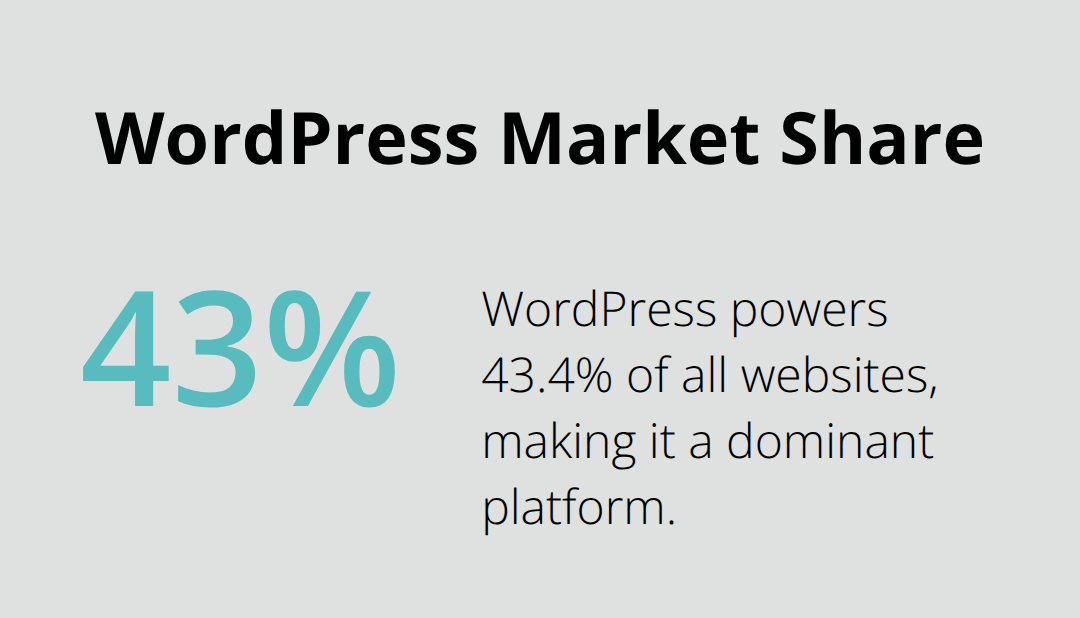
WordPress powers over 43% of all websites, making it a prime target for cybercriminals. At Pluginizer, we’ve seen firsthand the devastating effects of security breaches on businesses and their online presence.
That’s why we’ve compiled this guide to help you fortify your WordPress site with the best WordPress security plugins available. We’ll walk you through essential security measures and reveal top plugins that can shield your website from potential threats.
Why WordPress Sites Are Prime Targets for Hackers
The Popularity Paradox
WordPress powers 43.4% of all websites, making it an irresistible target for cybercriminals. This widespread use creates a “popularity paradox” – the more popular a platform becomes, the more attractive it is to hackers. At Pluginizer, we understand this dynamic and its implications for website security.
Common Vulnerabilities in WordPress
Outdated Software: The Open Door
Many site owners fail to update their core software, themes, and plugins regularly. A 2022 Wordfence report revealed that plugins accounted for 93.25% of WordPress vulnerabilities. This oversight creates security gaps that hackers exploit with enthusiasm.
Weak Passwords: The Low-Hanging Fruit
Despite repeated warnings, simple passwords like “123456” and “password” remain popular. Hackers can crack these in seconds, gaining unauthorized access to sites. (This problem persists across platforms, not just WordPress.)
The Ripple Effect of Security Breaches
Financial Fallout
Security breaches can devastate businesses financially. IBM’s Cost of a Data Breach Report for 2022 showed that the global average total cost of a data breach increased to a record high. For small businesses, such a hit can prove fatal.
Reputation Damage
Customers lose faith in businesses that can’t protect their data. A 2019 Ping Identity study found that 81% of consumers would stop engaging with a brand online following a data breach. (This loss of trust can take years to rebuild.)
SEO Penalties
Google may blacklist hacked sites, causing a dramatic drop in search rankings and traffic. Recovery from this setback can take months, impacting both visibility and revenue.
Legal Consequences
With regulations like GDPR in place, businesses face hefty fines for data breaches. In 2022, Meta received a €265 million fine for a data leak affecting over 500 million users.
The Importance of Proactive Security
These risks underscore the need for robust security measures. Using reliable security plugins and keeping WordPress assets up-to-date forms the foundation of a strong defense strategy. (Prevention is always less costly than recovery.)
As we move forward, we’ll explore essential WordPress security measures that can help fortify your site against these common threats and vulnerabilities.
How to Fortify Your WordPress Site
Implement a Strong Password Policy
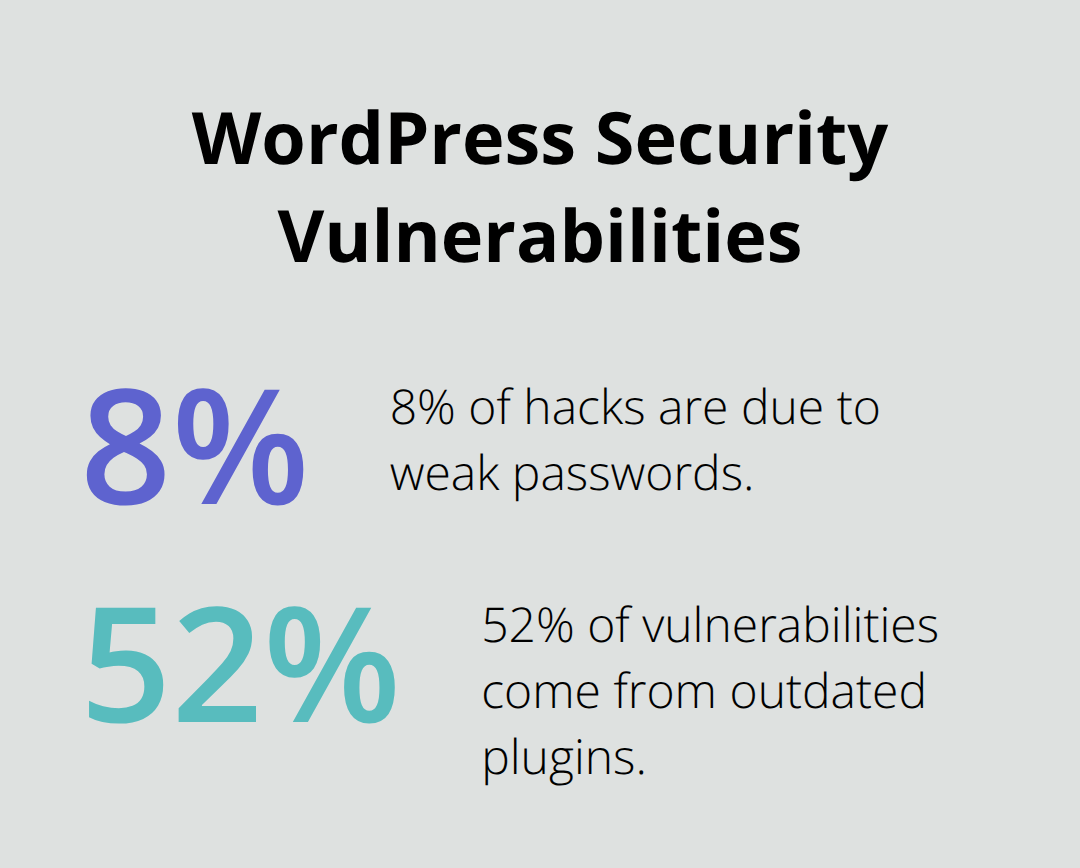
Weak passwords leave your site vulnerable to attacks. According to recent statistics, 8% of hacks are due to weak passwords, and 52% of vulnerabilities come from outdated plugins.
To combat this, enforce a strict password policy:
- Require a minimum of 12 characters
- Include a mix of uppercase, lowercase, numbers, and symbols
- Use a password manager like LastPass or 1Password
Consider using a plugin that prompts users to change their passwords every 90 days.
Enable Two-Factor Authentication (2FA)
Two-factor authentication adds an extra layer of security beyond passwords. 2FA on WordPress helps keep the administration interface secure.
Use plugins like Google Authenticator or Duo Two-Factor Authentication to implement 2FA on your WordPress site. These tools provide robust protection against unauthorized access.
Limit Login Attempts
Brute force attacks use automated tools to guess passwords. Limiting login attempts thwarts these attacks before they gain traction.
Use a plugin like Login LockDown to lock out IP addresses after a specified number of failed login attempts. This step reduces your vulnerability to brute force attacks significantly.
Set Up Regular, Automated Backups
Backups act as your safety net. A recent backup can transform a potential catastrophe into a minor inconvenience.
Use a plugin like UpdraftPlus to set up daily automated backups. Store these backups off-site, either in cloud storage or on a separate server. This strategy ensures your data remains safe and recoverable even if your site is compromised.
Choose a Security-Focused Hosting Provider
Your hosting provider plays a vital role in your site’s security. Look for providers that offer:
- Regular server-level security updates
- Built-in malware scanning and removal
- DDoS protection
- Free SSL certificates
Providers like WP Engine and Kinsta specialize in WordPress hosting and offer robust security features. (While they may cost more than budget hosts, the added security justifies the investment.)
These measures form the foundation of a solid security strategy. However, the landscape of cyber threats constantly evolves. To stay ahead, you need to complement these basic measures with advanced security tools. Let’s explore some of the top WordPress security plugins that can take your site’s protection to new heights.
Which WordPress Security Plugins Offer the Best Protection?
At Pluginizer, we’ve tested numerous WordPress security plugins to find the most effective solutions for our users. Here’s our breakdown of the top contenders, their key features, and how they stack up against each other.
Wordfence Security: The All-Rounder
Wordfence is a popular choice among WordPress users, and for good reason. It offers a robust firewall that blocks malicious traffic before it reaches your site. (In 2022, Wordfence blocked more than 159 Billion Credential stuffing attacks, originating from over 78 million distinct IP addresses.)
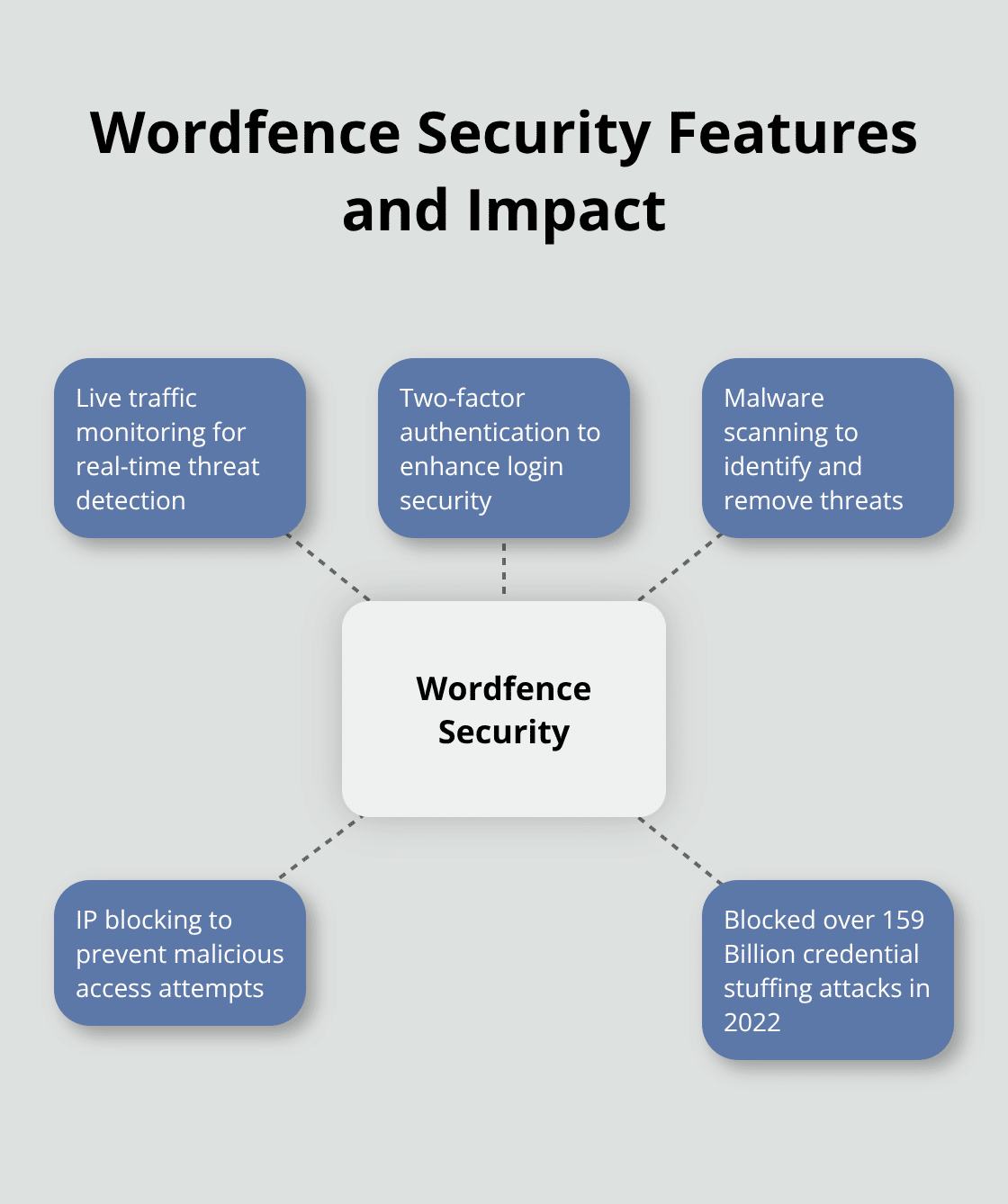
Key features include:
- Live traffic monitoring
- Two-factor authentication
- Malware scanning
- IP blocking
Wordfence’s free version provides solid protection, while the premium version ($99/year) offers real-time threat defense feed updates.
Sucuri Security: Cloud-Based Protection
Sucuri takes a different approach, leveraging cloud-based technology for website security. Their Sucuri WordPress Security plugin is a security toolset for security integrity monitoring, malware detection and security hardening.
Standout features:
- Website hardening
- Post-hack actions
- Blacklist monitoring
- DDoS protection
Sucuri’s basic plan starts at $199.99/year, making it a more premium option.
iThemes Security: User-Friendly Option
iThemes Security, formerly Better WP Security, focuses on ease of use without compromising on protection. It’s an excellent choice for WordPress beginners who want comprehensive security without a steep learning curve.
Notable features:
- 404 detection
- Away mode (locks down admin access during specified times)
- Database backups
- File change detection
iThemes Security Pro starts at $80/year, offering a good balance of features and affordability.
All In One WP Security & Firewall: Budget-Friendly Solution
For those on a tight budget, All In One WP Security & Firewall offers a feature-rich free version. While it may lack some advanced features of premium plugins, it provides solid basic protection.
Key offerings:
- User account security
- Login lockdown
- File system security
- Blacklist functionality
The free version is surprisingly comprehensive, making it a go-to choice for small websites or those just starting out with WordPress security.
MalCare: Automated Malware Removal
MalCare distinguishes itself with its automated malware removal feature. This can be a game-changer for sites that have been compromised, as it eliminates the need for manual cleanup in many cases.
Standout features:
- One-click malware removal
- Advanced firewall
- Login protection
- Instant site hardening
MalCare’s plans start at $99/year, positioning it as a mid-range option with unique capabilities.
(When choosing a security plugin, consider your specific needs, budget, and technical expertise. While these plugins offer excellent protection, no single solution is perfect.)
Final Thoughts
Securing your WordPress site requires ongoing vigilance and proactive measures. We explored the best WordPress security plugins and essential strategies to protect your site against potential threats. A layered security approach combines multiple tools and strategies to create a formidable barrier against cyber threats.
Regular security audits and updates maintain your site’s integrity in the rapidly evolving digital landscape. The tactics of cybercriminals change constantly, making it essential to stay current with the latest security patches and best practices. (You wouldn’t leave your front door unlocked, so why leave your website vulnerable?)
At Pluginizer, we offer unlimited access to over 15,000 premium plugins and themes, including many top security plugins, for a one-time subscription fee. This allows you to enhance your site’s protection without excessive costs. Take action now to secure your WordPress site and protect your digital assets with the right tools and approach.

